
Do you manage LearnDash Websites? Do you have students waiting on new quizzes while you’re still stuck writing questions one by one? Whether you’re running an online academy, LearnDash based WordPress websites or educational LMS, preparing high-quality quiz questions often takes longer than creating the course itself.
Writing questions one by one, assigning marks, checking answers, and importing everything into LearnDash can quickly become repetitive and exhausting.
That gap between “course content is ready” and “quiz is actually live” is where a lot of course creators lose momentum. The good news: there’s a free WordPress plugin built specifically to close that gap — LDAQ AI Question Builder for LearnDash.
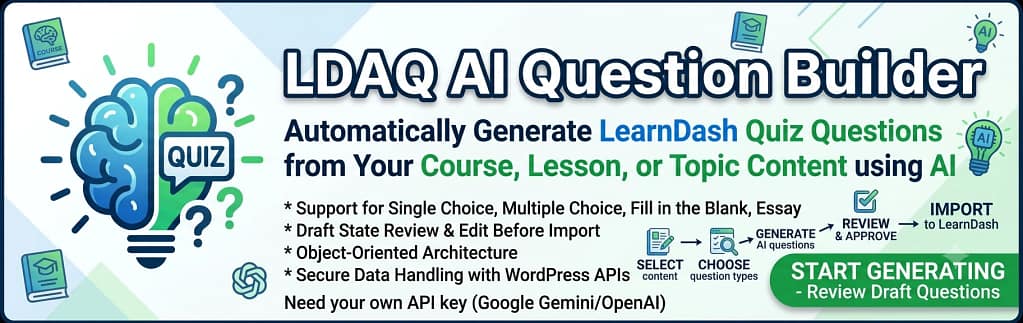
LDAQ AI Question Builder for LearnDash is a WordPress plugin, built specifically LearnDash ( Learning Management System ) websites. This plugin createted by Sayan (WordPress Developer).
It analyses your LearnDash course content ( course, Lessons, topics ) using AI and automatically creates quiz questions that match the selected lessons and topics.
The plugin currently supports:
- Single Choice Questions
- Multiple Choice Questions
- Fill in the Blank Questions
- Essay Questions
Before importing the questions into LearnDash, you can review, edit, modify marks, and even update the correct answers.
This gives course creators complete control while significantly reducing the time required to build quizzes.
Key Features of LDAQ AI Question Builder for LearnDash
- Generate AI-powered quiz questions from LearnDash content ( course, lessons, and topics )
- Supports Google Gemini and OpenAI models.
- Review every generated question before importing.
- Edit questions and answers
- Modify marks
- Select question difficulty
- Generate multiple questions at once
- Import directly into an existing LearnDash Quiz.
- Easy-to-use WordPress admin interface.
Installing the plugin
- Download and install the LDAQ AI Question Builder for LearnDash plugin.
- Activate the plugin on your WordPress Website.
- After activation, you’ll notice a new admin menu called:
LD AI Quiz Generator
This is where you’ll configure the plugin and generate AI-powered quiz questions.
Configure the AI API
The plugin supports both Google Gemini and OpenAI.
To begin, open the Settings page from the LD AI Quiz Generator menu.
Enter:
- Your API Key
- Model ID
You can select any AI Google Gemini (Free) or OpenAI


Google Gemini
The Gemini API is free for most developers, making it an excellent choice if you’re just getting started.
Create your API key from Google AI Studio.
Recommended Gemini models include:
- gemini-2.5-flash
- gemini-2.5-pro
OpenAI
If you’re using OpenAI, enter your API key and choose a supported model.
Popular models include:
- gpt-5
- gpt-5-mini
- gpt-4.1
Once you’ve saved your settings, you’re ready to generate quiz questions.
Generate LearnDash Quiz Questions Using LDAQ AI Question Builder for LearnDash
Navigate to LD AI Quiz Generator menu.
You’ll see a screen similar to the plugin dashboard.
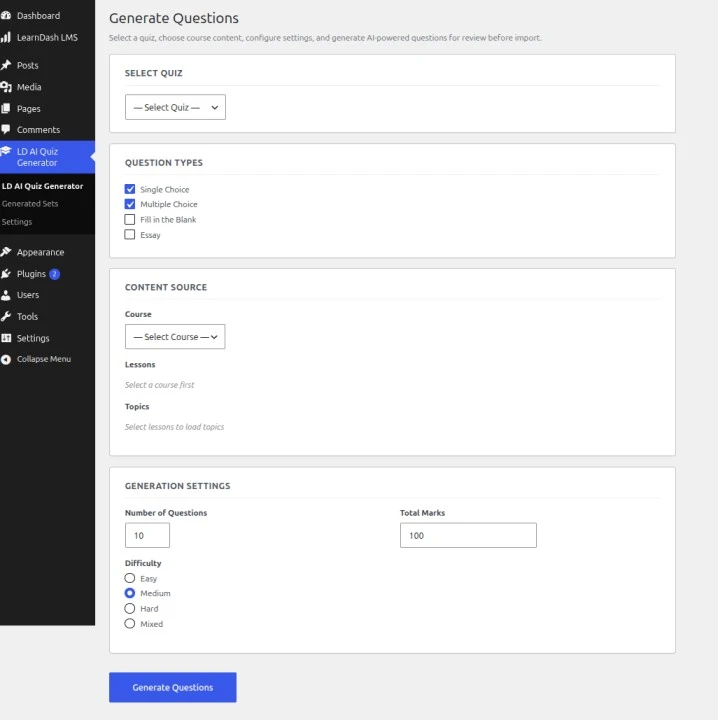
The process is straightforward.
Step 1
Select the LearnDash Quiz where you want the questions to be imported.
Step 2
Choose the question type.
Available options include:
- Single Choice
- Multiple Choice
- Fill in the Blank
- Essay
Step 3
Select the content source.
Choose a LearnDash Course.
Once selected, the plugin automatically displays the associated lessons and topics.
Simply select the content you want AI to analyse.
Step 4
Specify:
- Number of Questions
- Total Marks
- Difficulty Level
Click Generate Questions.
The AI analyses your selected course content and creates relevant quiz questions automatically.
Review Before Importing
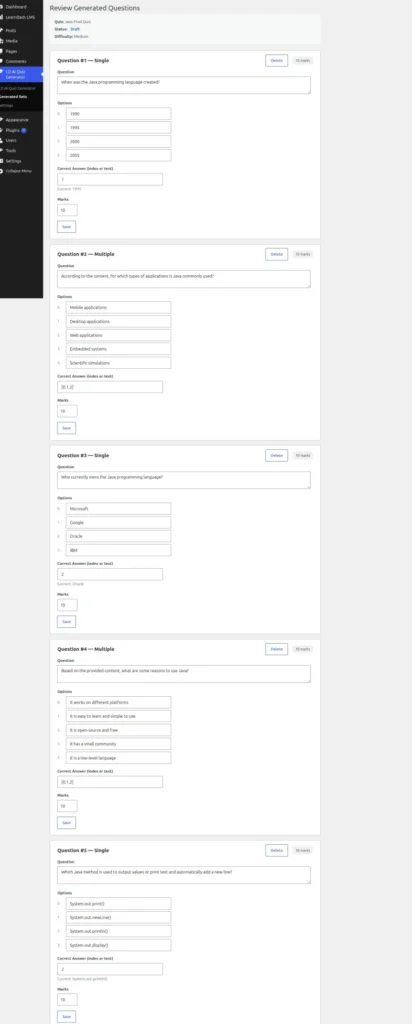
One of the best features of this plugin is that it doesn’t immediately add questions to LearnDash.
Instead, every generated question enters a review screen where you can:
- Edit the question
- Change answers
- Modify marks
- Correct AI-generated content If You think needed.
- Approve only the questions you want
Once you’re satisfied, approve the questions.
The plugin then maps them directly into your selected LearnDash quiz.
This review process ensures you maintain complete control over the quality of your assessments.
Who Should Use This Plugin?
This plugin is ideal for:
- LearnDash website owners
- Course creators
- Teachers
- Online coaching platforms
- Universities
- Training institutes
- Corporate LMS administrators
- Educational agencies
Final Thoughts
Creating quizzes manually is one of the most repetitive tasks for LearnDash administrators.
The LDAQ AI Question Builder for LearnDash plugin simplifies the entire process by using AI to generate high-quality quiz questions from your course content. With support for both Google Gemini and OpenAI, an approval workflow, editable questions, and direct LearnDash integration, it can save hours of work while helping you build engaging assessments faster.
If you’re looking for a smarter way to create LearnDash quizzes, this plugin is well worth trying.
Want to learn more? Browse our latest WordPress tutorials covering plugins, website optimization, security, performance, SEO, and development tips.